Expandable Gallery
Image panels that expand on selection, with stacked cards on small screens.
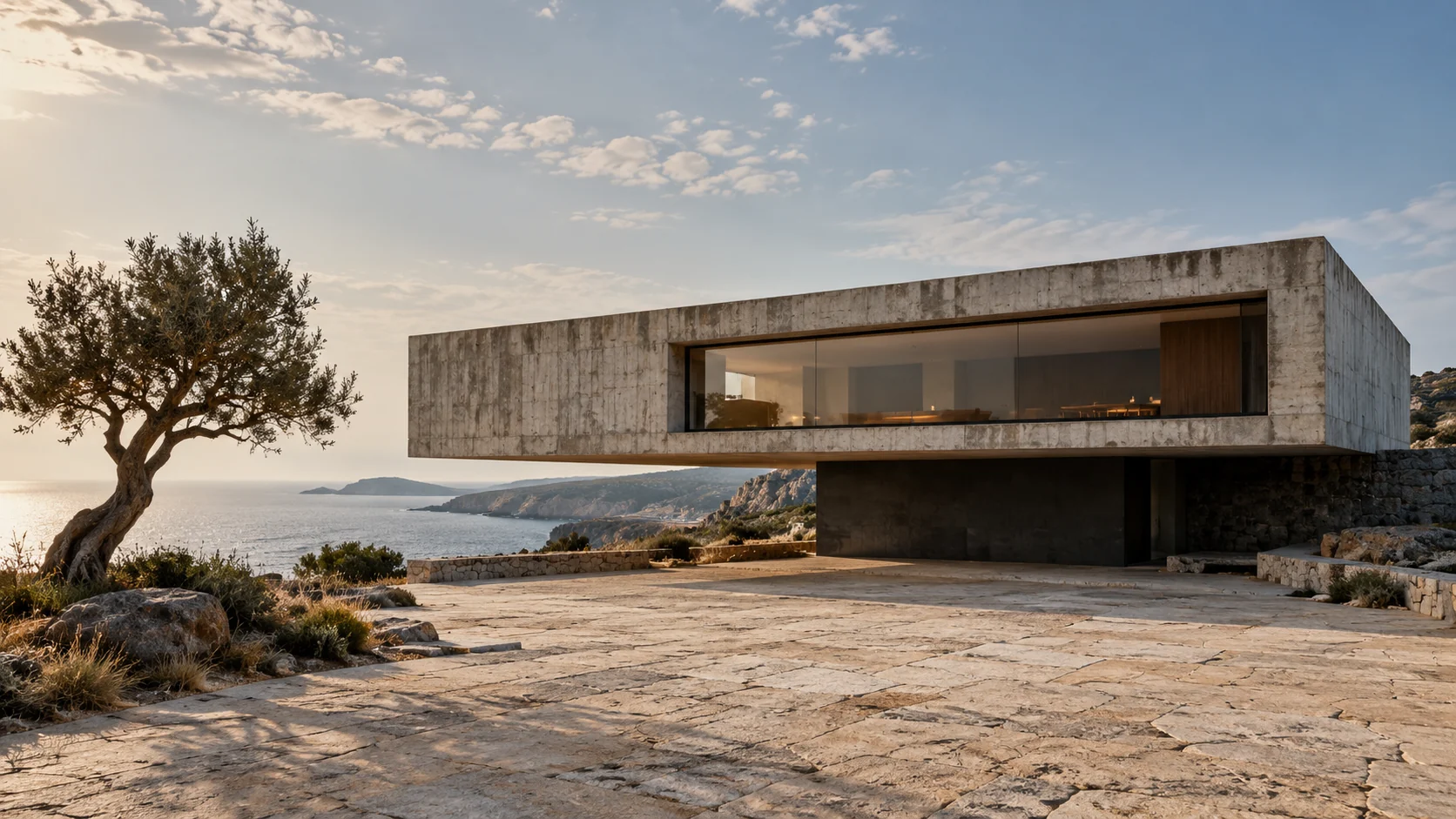

'use client';

import { useId, useRef, useState } from 'react';
import type { KeyboardEvent } from 'react';
import './expandable-gallery.css';

export interface ExpandableGalleryItem {
  id: string;
  title: string;
  src: string;
  alt: string;
  meta?: string;
  imagePosition?: string;
  href?: string;
  linkLabel?: string;
}

export interface ExpandableGalleryProps {
  items: ExpandableGalleryItem[];
  title?: string;
  defaultValue?: string;
  onValueChange?: (id: string) => void;
  className?: string;
}

/** Image panels that expand on selection, with a compact stacked layout. */
export function ExpandableGallery({ items, title = 'Selected projects', defaultValue, onValueChange, className = '' }: ExpandableGalleryProps) {
  const [value, setValue] = useState(defaultValue ?? items[0]?.id ?? '');
  const buttons = useRef(new Map<string, HTMLButtonElement>());
  const instance = useId();
  const headingId = `${instance}-gallery-title`;
  const selected = items.find(item => item.id === value) ?? items[0];
  const selectedIndex = items.findIndex(item => item.id === selected?.id);

  function select(item: ExpandableGalleryItem) {
    if (item.id === selected?.id) return;
    setValue(item.id);
    onValueChange?.(item.id);
  }

  function move(event: KeyboardEvent<HTMLButtonElement>, index: number) {
    let nextIndex: number;
    if (event.key === 'ArrowRight' || event.key === 'ArrowDown') nextIndex = (index + 1) % items.length;
    else if (event.key === 'ArrowLeft' || event.key === 'ArrowUp') nextIndex = (index - 1 + items.length) % items.length;
    else if (event.key === 'Home') nextIndex = 0;
    else if (event.key === 'End') nextIndex = items.length - 1;
    else return;
    event.preventDefault();
    const next = items[nextIndex];
    select(next);
    const button = buttons.current.get(next.id);
    button?.focus({ preventScroll: true });
    button?.scrollIntoView({ block: 'nearest', inline: 'nearest' });
  }

  return (
    <section className={`ac-expandable-gallery ${className}`.trim()} aria-labelledby={title ? headingId : undefined} aria-label={title ? undefined : 'Project gallery'}>
      <header className="ac-expandable-gallery-header">
        {title && <h2 id={headingId}>{title}</h2>}
        <span className="ac-expandable-gallery-count" aria-live="polite" aria-atomic="true">
          <span className="ac-expandable-gallery-sr">Selected image </span>{String(selectedIndex + 1).padStart(2, '0')}<span aria-hidden="true"> / </span><span className="ac-expandable-gallery-sr"> of </span>{String(items.length).padStart(2, '0')}
        </span>
      </header>
      {selected ? <div className="ac-expandable-gallery-panels" role="group" aria-label="Choose an image">
        {items.map((item, index) => {
          const active = item.id === selected.id;
          return <article key={item.id} className="ac-expandable-gallery-panel" data-active={active}>
            <img className="ac-expandable-gallery-image" src={item.src} alt={item.alt} style={{ objectPosition: item.imagePosition }} loading={index === 0 ? 'eager' : 'lazy'} />
            <button
              type="button"
              className="ac-expandable-gallery-select"
              ref={element => { if (element) buttons.current.set(item.id, element); else buttons.current.delete(item.id); }}
              aria-label={`Select ${item.title}`}
              aria-pressed={active}
              onClick={() => select(item)}
              onKeyDown={event => move(event, index)}
            >
              <span className="ac-expandable-gallery-number" aria-hidden="true">{String(index + 1).padStart(2, '0')}</span>
              <span className="ac-expandable-gallery-marker" aria-hidden="true">{active ? '−' : '+'}</span>
              <span className="ac-expandable-gallery-caption"><span className="ac-expandable-gallery-title">{item.title}</span>{item.meta && <span className="ac-expandable-gallery-meta">{item.meta}</span>}</span>
            </button>
            {active && item.href && <a className="ac-expandable-gallery-link" href={item.href} aria-label={item.linkLabel ?? `View ${item.title}`} title={item.linkLabel ?? `View ${item.title}`}><svg width="22" height="22" viewBox="0 0 24 24" fill="none" aria-hidden="true"><path d="M5 19 19 5M5 5h14v14" stroke="currentColor" strokeWidth="1.5" /></svg></a>}
          </article>;
        })}
      </div> : <p className="ac-expandable-gallery-empty">No images to display.</p>}
    </section>
  );
}
Installation
Run this in your shadcn-configured React project. The component and stylesheet are added together.
npx shadcn@latest add http://localhost:5173/r/expandable-gallery.jsonThis command uses the current site address. For localhost, keep this preview running on the same computer. Files follow your configured components alias.
Usage
Import the component and make the details your own.
import { ExpandableGallery } from '@/components/anticraft/ExpandableGallery';

export function Example() {
  return (
    <ExpandableGallery
      title="Selected projects"
      items={[
        { id: 'hearth', title: 'Hearth House', meta: 'Residential architecture', src: '/images/hearth.jpg', alt: 'A concrete house above the coast', href: '/projects/hearth' },
        { id: 'headland', title: 'Headland Retreat', meta: 'Coastal hospitality', src: '/images/headland.jpg', alt: 'A timber retreat overlooking the ocean', imagePosition: '70% 50%', href: '/projects/headland' },
        { id: 'terrace', title: 'The Living Edge', meta: 'Interiors', src: '/images/terrace.jpg', alt: 'A shaded terrace beside an open living space', href: '/projects/terrace' },
      ]}
    />
  );
}Props
| Prop | Type | Default | Description |
|---|---|---|---|
items | ExpandableGalleryItem[] | Required | Images with a unique id, title, src and alt. Optional meta, imagePosition, href and linkLabel fields add supporting details and a separate destination link. Supply your own image files and real destination URLs. An empty list shows an empty state. |
title | string | 'Selected projects' | Heading above the panels. Pass an empty string to omit it; the section keeps an accessible name. |
defaultValue | string | First item | The initially selected image id. Missing or removed selections fall back to the first available item. |
onValueChange | (id: string) => void | undefined | Called when a visitor selects a different image. Pass callbacks from a client component. |
className | string | '' | Additional classes. Customize --ac-expandable-ink, --ac-expandable-muted, --ac-expandable-line, --ac-expandable-radius and --ac-expandable-height. Panels stack below a component width of 580px. |
item.href | string | undefined | Optional native link shown in the selected panel. It is separate from the selection button. The demo opens the original image file; installed galleries follow your supplied destination. |
Motion & accessibility
Click, tap, Enter or Space to expand a panel. Arrow keys move and select adjacent panels; Home and End select the first or last. Every selection button remains in the Tab order. Narrow containers stack all panels without hiding their images or names. Reduced motion removes panel, image and link transitions.
Use semantic content and meaningful labels in your composition. Check contrast and keyboard behavior with your own styles and content.