Product Quick View
A considered object, a closer look. Product cards open a detailed image gallery, real finish choices, and useful specifications without losing your place.
THE EVERYDAY, RECONSIDERED / 01—02
Objects to
come back to.
For the things you listen to.
For the places you go.
A little less. A little better.
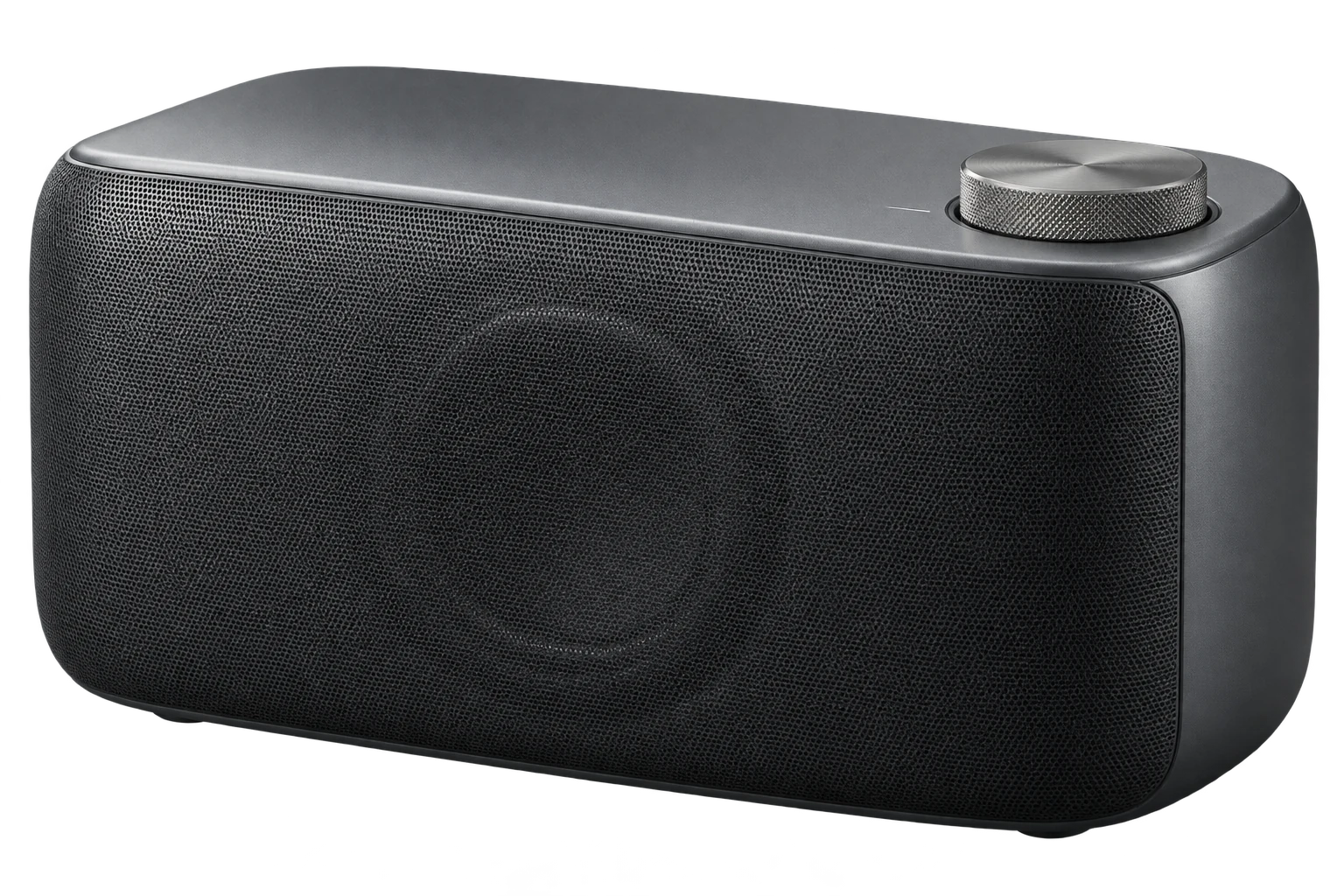
MONO 01
A quieter kind of presence.
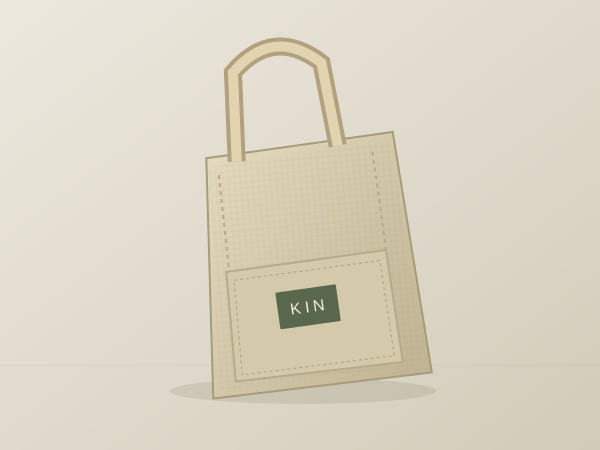
Everyday Tote
Room for a little more everyday.
ORIGINAL, FICTIONAL PRODUCT STUDIESOPEN AN OBJECT. EXPLORE THE DETAILS. ↗
'use client';

import { useEffect, useId, useRef, useState } from 'react';
import type { KeyboardEvent, MouseEvent } from 'react';
import './product-quick-view.css';

export interface ProductQuickViewImage {
  id: string;
  src: string;
  alt: string;
}

export interface ProductQuickViewVariant {
  id: string;
  label: string;
  color?: string;
  images: ProductQuickViewImage[];
  price?: string;
}

export interface ProductQuickViewSpecification {
  label: string;
  value: string;
}

export interface ProductQuickViewSelection {
  variant?: ProductQuickViewVariant;
  image?: ProductQuickViewImage;
}

export interface ProductQuickViewProps {
  title: string;
  description: string;
  price: string;
  images: ProductQuickViewImage[];
  eyebrow?: string;
  subtitle?: string;
  variants?: ProductQuickViewVariant[];
  specifications?: ProductQuickViewSpecification[];
  defaultVariant?: string;
  defaultImage?: string;
  action?: { label: string; href: string };
  onSelectionChange?: (selection: ProductQuickViewSelection) => void;
  onOpenChange?: (open: boolean) => void;
  className?: string;
}

/** A product card with an intentionally opened native product-detail dialog. */
export function ProductQuickView({
  title,
  description,
  price,
  images,
  eyebrow,
  subtitle,
  variants = [],
  specifications = [],
  defaultVariant,
  defaultImage,
  action,
  onSelectionChange,
  onOpenChange,
  className = '',
}: ProductQuickViewProps) {
  const [variantId, setVariantId] = useState(defaultVariant ?? variants[0]?.id ?? '');
  const [imageId, setImageId] = useState(defaultImage ?? '');
  const [expanded, setExpanded] = useState(false);
  const isOpen = useRef(false);
  const modal = useRef<HTMLDialogElement>(null);
  const opener = useRef<HTMLButtonElement>(null);
  const imageButtons = useRef(new Map<string, HTMLButtonElement>());
  const backdropStarted = useRef(false);
  const instance = useId();
  const titleId = `ac-quick-view-title-${instance}`;
  const dialogId = `ac-quick-view-dialog-${instance}`;
  const dialogTitleId = `${dialogId}-title`;
  const descriptionId = `${dialogId}-description`;
  const variant = variants.find(item => item.id === variantId) ?? variants[0];
  const currentImages = variant?.images.length ? variant.images : images;
  const foundImage = currentImages.findIndex(item => item.id === imageId);
  const imageIndex = foundImage < 0 ? 0 : foundImage;
  const image = currentImages[imageIndex];
  const currentPrice = variant?.price ?? price;

  useEffect(() => {
    if (!expanded) return;
    const previousOverflow = document.body.style.overflow;
    document.body.style.overflow = 'hidden';
    return () => { document.body.style.overflow = previousOverflow; };
  }, [expanded]);

  useEffect(() => {
    const dialog = modal.current;
    return () => { if (dialog?.open) dialog.close(); };
  }, []);

  function publishOpen(next: boolean) {
    if (isOpen.current === next) return;
    isOpen.current = next;
    setExpanded(next);
    onOpenChange?.(next);
  }

  function open() {
    if (!modal.current || modal.current.open) return;
    modal.current.showModal();
    publishOpen(true);
  }

  function close() {
    if (modal.current?.open) modal.current.close();
    publishOpen(false);
    opener.current?.focus({ preventScroll: true });
  }

  function chooseImage(index: number) {
    const next = currentImages[index];
    if (!next || next.id === image?.id) return;
    setImageId(next.id);
    onSelectionChange?.({ variant, image: next });
  }

  function chooseVariant(next: ProductQuickViewVariant) {
    if (next.id === variant?.id) return;
    const nextImage = (next.images.length ? next.images : images)[0];
    setVariantId(next.id);
    setImageId(nextImage?.id ?? '');
    onSelectionChange?.({ variant: next, image: nextImage });
  }

  function onImageKey(event: KeyboardEvent<HTMLButtonElement>, index: number) {
    let next: number;
    if (event.key === 'ArrowRight') next = (index + 1) % currentImages.length;
    else if (event.key === 'ArrowLeft') next = (index - 1 + currentImages.length) % currentImages.length;
    else if (event.key === 'Home') next = 0;
    else if (event.key === 'End') next = currentImages.length - 1;
    else return;
    event.preventDefault();
    chooseImage(next);
    imageButtons.current.get(currentImages[next].id)?.focus({ preventScroll: true });
    imageButtons.current.get(currentImages[next].id)?.scrollIntoView({ block: 'nearest', inline: 'nearest' });
  }

  function isBackdrop(event: MouseEvent<HTMLDialogElement>) {
    if (event.target !== event.currentTarget) return false;
    const bounds = event.currentTarget.getBoundingClientRect();
    return event.clientX < bounds.left || event.clientX > bounds.right || event.clientY < bounds.top || event.clientY > bounds.bottom;
  }

  return <article className={`ac-product-quick-view ${className}`.trim()} aria-labelledby={titleId}>
    <div className="ac-quick-view-card-stage">
      {eyebrow && <span className="ac-quick-view-eyebrow">{eyebrow}</span>}
      {image ? <img className="ac-quick-view-card-image" src={image.src} alt={image.alt} loading="lazy" /> : <span className="ac-quick-view-empty">Image coming soon</span>}
      <button ref={opener} type="button" className="ac-quick-view-trigger" aria-haspopup="dialog" aria-expanded={expanded} aria-controls={dialogId} aria-label={`Quick view ${title}`} onClick={open}>
        <span>Quick view</span><span aria-hidden="true">↗</span>
      </button>
    </div>
    <div className="ac-quick-view-card-info">
      <div><h3 id={titleId}>{title}</h3>{subtitle && <p>{subtitle}</p>}</div>
      <span className="ac-quick-view-card-price">{currentPrice}</span>
    </div>
    <dialog
      ref={modal}
      id={dialogId}
      className="ac-quick-view-dialog"
      aria-labelledby={dialogTitleId}
      aria-describedby={descriptionId}
      onCancel={event => { event.preventDefault(); close(); }}
      onClose={() => { if (!modal.current?.open && isOpen.current) close(); }}
      onPointerDown={event => { backdropStarted.current = isBackdrop(event); }}
      onPointerCancel={() => { backdropStarted.current = false; }}
      onClick={event => { if (backdropStarted.current && isBackdrop(event)) close(); backdropStarted.current = false; }}
    >
      <div className="ac-quick-view-dialog-shell">
        <header className="ac-quick-view-dialog-top"><span>{eyebrow ?? 'A CLOSER LOOK'}</span><button type="button" className="ac-quick-view-close" autoFocus aria-label={`Close ${title} quick view`} onClick={close}><span>Close</span><span aria-hidden="true">×</span></button></header>
        <div className="ac-quick-view-dialog-layout">
          <div className="ac-quick-view-gallery">
            <div className="ac-quick-view-image-stage">{image ? <img key={`${variant?.id ?? ''}-${image.id}`} src={image.src} alt={image.alt} className="ac-quick-view-large-image" /> : <span className="ac-quick-view-empty">Image coming soon</span>}</div>
            {currentImages.length > 1 && <div className="ac-quick-view-gallery-bottom"><div className="ac-quick-view-thumbnails" role="group" aria-label={`Images of ${title}`}>
              {currentImages.map((item, index) => <button key={item.id} ref={element => { if (element) imageButtons.current.set(item.id, element); else imageButtons.current.delete(item.id); }} type="button" aria-label={`Show image ${index + 1}: ${item.alt}`} aria-pressed={item.id === image?.id} onClick={() => chooseImage(index)} onKeyDown={event => onImageKey(event, index)}><img src={item.src} alt="" loading="lazy" /></button>)}
            </div><span className="ac-quick-view-image-count" aria-live="polite" aria-atomic="true">{imageIndex + 1} / {currentImages.length}</span></div>}
          </div>
          <div className="ac-quick-view-details">
            <div className="ac-quick-view-dialog-heading"><p className="ac-quick-view-overline">CONSIDERED IN EVERY DETAIL</p><h2 id={dialogTitleId}>{title}</h2>{subtitle && <p className="ac-quick-view-subtitle">{subtitle}</p>}</div>
            <p className="ac-quick-view-price" aria-live="polite" aria-atomic="true">{currentPrice}</p>
            <p id={descriptionId} className="ac-quick-view-description">{description}</p>
            {variants.length > 0 && <fieldset className="ac-quick-view-finishes"><legend>Finish <span aria-live="polite">/ {variant?.label}</span></legend><div>{variants.map(item => <button type="button" key={item.id} aria-label={`Finish: ${item.label}`} aria-pressed={item.id === variant?.id} onClick={() => chooseVariant(item)}><span className="ac-quick-view-swatch" style={{ background: item.color ?? 'currentColor' }} aria-hidden="true" /><span>{item.label}</span><span className="ac-quick-view-finish-indicator" aria-hidden="true">{item.id === variant?.id ? '●' : '○'}</span></button>)}</div></fieldset>}
            {specifications.length > 0 && <dl className="ac-quick-view-specifications">{specifications.map((item, index) => <div key={`${item.label}-${index}`}><dt>{item.label}</dt><dd>{item.value}</dd></div>)}</dl>}
            {action && <a className="ac-quick-view-action" href={action.href} onClick={close}><span>{action.label}</span><span aria-hidden="true">↗</span></a>}
          </div>
        </div>
      </div>
    </dialog>
  </article>;
}
Installation
Run this in your shadcn-configured React project. The component and stylesheet are added together.
npx shadcn@latest add http://localhost:5173/r/product-quick-view.jsonThis command uses the current site address. For localhost, keep this preview running on the same computer. Files follow your configured components alias.
Usage
Import the component and make the details your own.
import { ProductQuickView } from '@/components/anticraft/ProductQuickView';

export function Example() {
  return (
    <ProductQuickView
      title="MONO 01"
      eyebrow="SOUND OBJECTS / 01"
      subtitle="A quieter kind of presence."
      price="$390"
      description="One considered object for the spaces where life happens. A sculpted body, an acoustic grille, and one tactile volume dial."
      images={[{ id: 'front', src: '/images/speaker-graphite.jpg', alt: 'Graphite speaker shown from the front and side' }]}
      variants={[
        { id: 'graphite', label: 'Graphite', color: '#343936', images: [
          { id: 'front', src: '/images/speaker-graphite.jpg', alt: 'Graphite speaker shown from the front and side' },
          { id: 'detail', src: '/images/speaker-detail.jpg', alt: 'Close view of the top dial and acoustic mesh' },
        ] },
        { id: 'chalk', label: 'Chalk', color: '#e8e5dd', images: [
          { id: 'front', src: '/images/speaker-chalk.jpg', alt: 'Speaker in a pale Chalk finish' },
        ] },
      ]}
      specifications={[
        { label: 'Dimensions', value: '270 × 140 × 130 mm' },
        { label: 'Materials', value: 'Aluminum / acoustic mesh' },
      ]}
      action={{ label: 'View the product', href: '/products/mono-01' }}
    />
  );
}Props
| Prop | Type | Default | Description |
|---|---|---|---|
title / description / price | string | Required | Product name, full description, and a preformatted price such as $390 or €240. The name labels the card and native modal. Descriptions preserve paragraph breaks. The component does not process purchases. |
images | ProductQuickViewImage[] | Required | Images with unique id, src, and meaningful alt text. Used when variants are omitted or the selected variant has an empty image list. Supply your own files for example image paths. Empty lists show an Image coming soon placeholder. |
eyebrow / subtitle | string | undefined | Optional collection label above the card image and secondary text beneath the product name. The collection label also appears in the modal header. |
variants | ProductQuickViewVariant[] | [] | Optional finishes with unique id, label, images, and optional CSS color and preformatted price. Selecting a finish actually replaces its image list, resets to its first image, and updates an optional variant price. An empty image list uses the base images. |
specifications | ProductQuickViewSpecification[] | [] | Optional label/value strings rendered as a semantic definition list, such as dimensions, material, and collection. |
defaultVariant / defaultImage | string | First available item | Initial variant and image ids. Unknown or removed ids safely fall back to the first available variant or image. Defaults are read on initial render; data changes do not call user callbacks. |
action | { label: string; href: string } | undefined | An ordinary product-page link, separate from the quick-view opener. Activating it closes the modal before following its supplied destination. Replace example destinations with real pages on your site. The live demo links to visible local design stories. |
onSelectionChange | (selection: ProductQuickViewSelection) => void | undefined | Called once when a visitor changes the image or finish. Receives the current variant and image objects, either optional when unavailable. Selecting the active item and fallback after data changes do not notify. Pass callbacks from a Client Component in Next.js. |
onOpenChange | (open: boolean) => void | undefined | Called when a visitor opens or closes the quick view. Closing with Escape, Close, an ordinary product action, or a completed outside-backdrop click reports false. Unmount cleanup does not notify. |
className | string | '' | Additional classes. Theme with --ac-quick-view-surface, --ac-quick-view-stage, --ac-quick-view-ink, --ac-quick-view-muted, --ac-quick-view-line, and --ac-quick-view-accent. --ac-quick-view-card-ratio changes the card image-stage aspect ratio. Dialog width is bounded to 1120px and available viewport space. |
Motion & accessibility
The always-visible Quick view button opens a native modal with a contained product image, manually selected thumbnail gallery, finish controls, specifications, and an optional ordinary product link. The native dialog traps focus, closes with Escape, restores the opener, and locks background page scrolling while open. A visible Close control stays at the top of the internally scrolling dialog on short screens. A backdrop press must begin and end outside the dialog to close it. Thumbnail Left/Right, Home, and End keys select and focus images; page-wide arrow shortcuts are not captured. Desktop details sit beside the image; the modal stacks below 720px. A small entrance and image change maintain visual continuity; reduced motion removes both and disables the decorative hover lift. Every product has independent, unique dialog ids. The MONO renders and KIN illustrations in the demo are original fictional product studies.
Use semantic content and meaningful labels in your composition. Check contrast and keyboard behavior with your own styles and content.
Inspiration
The continuity of Motion-Primitives’ morphing dialog and the practical product-detail anatomy of Shadcnblocks’ quick views inspired this independent, dependency-free implementation. Anticraft uses an explicit card opener and a native modal, with original product studies, actual finish image swaps, keyboard gallery controls, and an ordinary product-page action. See also https://www.shadcnblocks.com/blocks/product-quick-view.
Visit Motion-Primitives / ShadcnblocksThe component source and demo artwork are original to Anticraft UI. The linked site is the design or content reference.