Image Hotspots
Clickable image annotations with detail cards that stay inside the image and move below it on small screens.
Material study
Select a point to inspect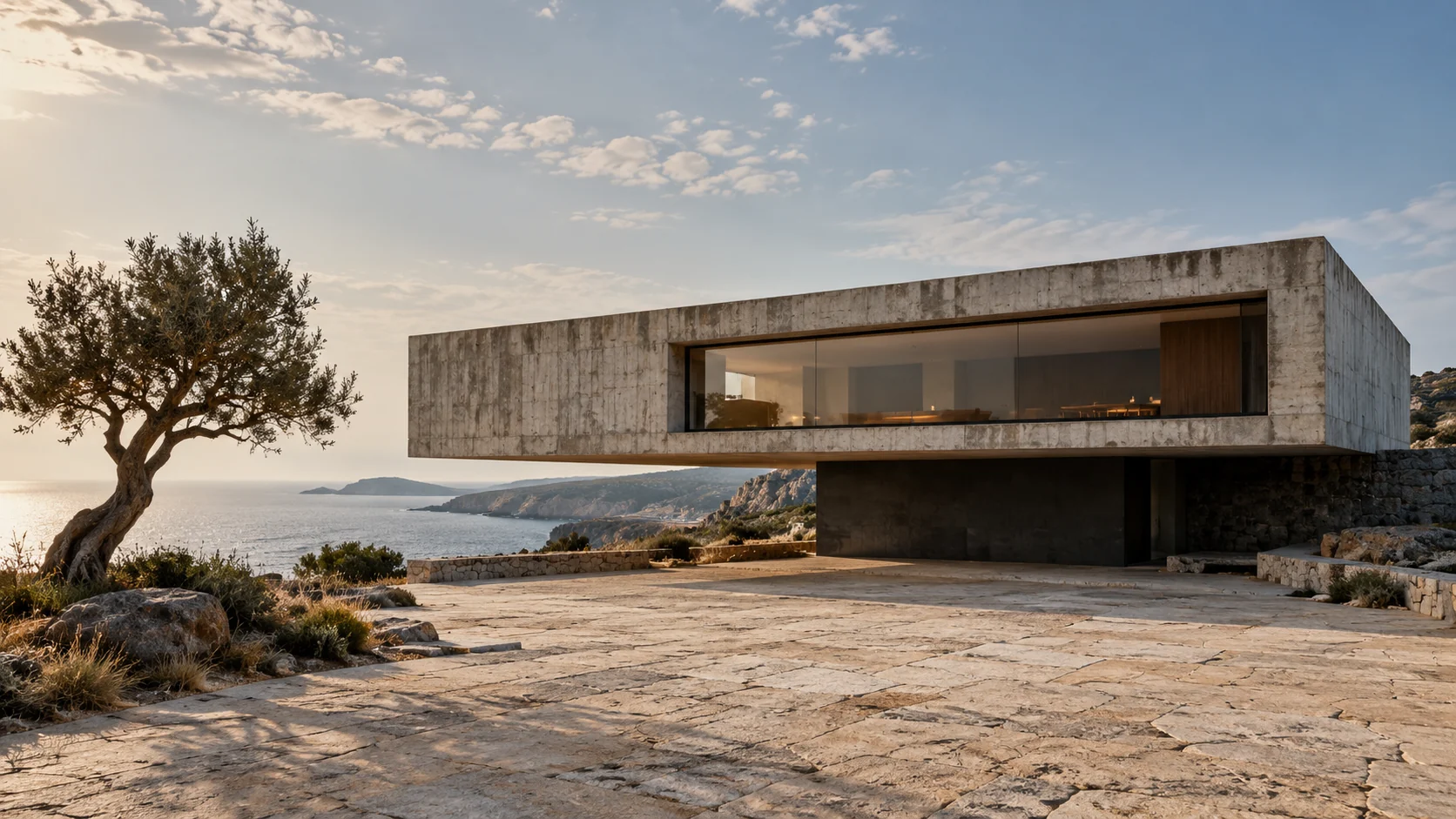
Concrete shell
Board-formed concrete preserves the grain and joins of its timber mould.
'use client';

import { useEffect, useId, useLayoutEffect, useRef, useState } from 'react';
import type { CSSProperties } from 'react';
import './image-hotspots.css';

export interface ImageHotspotItem {
  id: string;
  label: string;
  /** Horizontal position in the uncropped image, from 0 to 1. */
  x: number;
  /** Vertical position in the uncropped image, from 0 to 1. */
  y: number;
  title?: string;
  description?: string;
  price?: string;
  action?: { label: string; href: string };
}

export interface ImageHotspotsProps {
  image: string;
  alt: string;
  items: ImageHotspotItem[];
  caption?: string;
  defaultActiveId?: string;
  onActiveChange?: (item: ImageHotspotItem | null) => void;
  className?: string;
}

function coordinate(value: number) {
  return Number.isFinite(value) ? Math.min(1, Math.max(0, value)) : 0.5;
}

/** Image annotations with native disclosure controls and bounded detail cards. */
export function ImageHotspots({ image, alt, items, caption, defaultActiveId, onActiveChange, className = '' }: ImageHotspotsProps) {
  const [activeId, setActiveId] = useState<string | null>(defaultActiveId ?? null);
  const [position, setPosition] = useState({ left: 12, top: 12, maxHeight: 10000 });
  const root = useRef<HTMLElement>(null);
  const stage = useRef<HTMLDivElement>(null);
  const panel = useRef<HTMLDivElement>(null);
  const triggers = useRef(new Map<string, HTMLButtonElement>());
  const instance = useId();
  const panelId = `ac-hotspot-panel-${instance}`;
  const titleId = `${panelId}-title`;
  const active = items.find(item => item.id === activeId);

  function close(restoreFocus = false) {
    if (!active) return;
    setActiveId(null);
    onActiveChange?.(null);
    if (restoreFocus) triggers.current.get(active.id)?.focus({ preventScroll: true });
  }

  useEffect(() => {
    if (!active) return;
    function onPointerDown(event: PointerEvent) {
      if (!root.current?.contains(event.target as Node)) close();
    }
    function onFocusIn(event: FocusEvent) {
      if (!root.current?.contains(event.target as Node)) close();
    }
    function onKeyDown(event: KeyboardEvent) {
      if (event.key === 'Escape' && !event.defaultPrevented && root.current?.contains(document.activeElement)) {
        event.preventDefault();
        close(true);
      }
    }
    document.addEventListener('pointerdown', onPointerDown);
    document.addEventListener('focusin', onFocusIn);
    document.addEventListener('keydown', onKeyDown);
    return () => {
      document.removeEventListener('pointerdown', onPointerDown);
      document.removeEventListener('focusin', onFocusIn);
      document.removeEventListener('keydown', onKeyDown);
    };
  });

  useLayoutEffect(() => {
    if (!active || !stage.current || !panel.current) return;
    const currentStage = stage.current;
    const currentPanel = panel.current;
    function measure() {
      const width = currentStage.clientWidth;
      const height = currentStage.clientHeight;
      if (width < 560) return;
      const cardWidth = currentPanel.offsetWidth;
      const maxHeight = Math.max(0, height - 24);
      const cardHeight = Math.min(currentPanel.offsetHeight, maxHeight);
      const x = coordinate(active!.x) * width;
      const y = coordinate(active!.y) * height;
      const side = width - x >= x ? x + 28 : x - cardWidth - 28;
      const left = Math.max(12, Math.min(side, width - cardWidth - 12));
      const top = Math.max(12, Math.min(y - cardHeight / 2, height - cardHeight - 12));
      setPosition(previous => previous.left === left && previous.top === top && previous.maxHeight === maxHeight ? previous : { left, top, maxHeight });
    }
    measure();
    const observer = new ResizeObserver(measure);
    observer.observe(currentStage);
    observer.observe(currentPanel);
    return () => observer.disconnect();
  }, [active]);

  return <figure ref={root} className={`ac-image-hotspots ${className}`.trim()}>
    <div ref={stage} className="ac-hotspots-stage">
      <img className="ac-hotspots-image" src={image} alt={alt} loading="lazy" decoding="async" draggable={false} />
      {items.map((item, index) => <button
        key={item.id}
        ref={element => { if (element) triggers.current.set(item.id, element); else triggers.current.delete(item.id); }}
        type="button"
        className={`ac-hotspot-trigger${item.id === active?.id ? ' is-active' : ''}${coordinate(item.x) > 0.85 ? ' is-edge' : ''}`}
        style={{ '--ac-hotspot-x': `${coordinate(item.x) * 100}%`, '--ac-hotspot-y': `${coordinate(item.y) * 100}%` } as CSSProperties}
        aria-label={item.label}
        aria-expanded={item.id === active?.id}
        aria-controls={item.id === active?.id ? panelId : undefined}
        onClick={() => {
          const next = item.id === active?.id ? null : item;
          setActiveId(next?.id ?? null);
          onActiveChange?.(next);
        }}
      ><span className="ac-hotspot-marker" aria-hidden="true"><span /></span><span className="ac-hotspot-number" aria-hidden="true">{String(index + 1).padStart(2, '0')}</span></button>)}
    </div>
    {active && <div
      ref={panel}
      id={panelId}
      role="region"
      aria-labelledby={titleId}
      className="ac-hotspot-panel"
      style={{ '--ac-hotspot-panel-left': `${position.left}px`, '--ac-hotspot-panel-top': `${position.top}px`, '--ac-hotspot-panel-max-height': `${position.maxHeight}px` } as CSSProperties}
    >
      <div className="ac-hotspot-panel-top"><span>{String(items.findIndex(item => item.id === active.id) + 1).padStart(2, '0')}</span><button type="button" aria-label={`Close ${active.label}`} onClick={() => close(true)}><span aria-hidden="true">×</span></button></div>
      <h3 id={titleId}>{active.title ?? active.label}</h3>
      {active.description && <p>{active.description}</p>}
      {(active.price || active.action) && <div className="ac-hotspot-panel-bottom">{active.price && <span>{active.price}</span>}{active.action && <a href={active.action.href}>{active.action.label}<span aria-hidden="true">↗</span></a>}</div>}
    </div>}
    {caption && <figcaption className="ac-hotspots-caption">{caption}</figcaption>}
  </figure>;
}
Installation
Run this in your shadcn-configured React project. The component and stylesheet are added together.
npx shadcn@latest add http://localhost:5173/r/image-hotspots.jsonThis command uses the current site address. For localhost, keep this preview running on the same computer. Files follow your configured components alias.
Usage
Import the component and make the details your own.
import { ImageHotspots } from '@/components/anticraft/ImageHotspots';

export function Example() {
  return (
    <ImageHotspots
      image="/images/room.jpg"
      alt="Reading corner with an oak chair and a floor lamp"
      items={[
        {
          id: 'chair', label: 'Oak lounge chair', x: 0.35, y: 0.6,
          description: 'Solid oak frame with a woven linen seat.',
          price: '$480',
          action: { label: 'View chair', href: '/products/oak-lounge-chair' },
        },
        {
          id: 'lamp', label: 'Arc floor lamp', x: 0.76, y: 0.22,
          description: 'A brushed steel arm with an adjustable shade.',
        },
      ]}
    />
  );
}Props
| Prop | Type | Default | Description |
|---|---|---|---|
image / alt | string | Required | Image source and meaningful alternative text. The image preserves its intrinsic proportions without cropping, so marker positions stay aligned. Supply your own file for the example image path. |
items | ImageHotspotItem[] | Required | Annotations with unique id, accessible label, and normalized x/y coordinates from 0 to 1. Optional title replaces the visible label in the detail card. Optional description, preformatted price, and action { label, href } add information. Coordinates are clamped to the image edges; invalid numbers fall back to the centre. |
defaultActiveId | string | undefined | Initially expanded annotation id. An unknown or removed id displays no card. Current content is derived from the supplied items, so edits do not leave stale detail text. |
caption | string | undefined | Optional image caption beneath the annotation area. |
onActiveChange | (item: ImageHotspotItem | null) => void | undefined | Receives the selected annotation after a visitor opens it, or null when they close it. Data changes do not notify. Pass callbacks from a Client Component in Next.js. |
className | string | '' | Additional classes. Theme with --ac-hotspots-surface, --ac-hotspots-ink, --ac-hotspots-muted, --ac-hotspots-accent, and --ac-hotspots-line. The component uses its container width, independent of the page viewport. |
Motion & accessibility
Click or activate a marker with Enter or Space to toggle its detail. One annotation is open at a time. Escape and the card’s Close button close it and return focus to its marker; clicking or focusing outside closes it without moving focus. The card is a nonmodal labelled region with ordinary links. At widths below 560px it sits beneath the image; larger containers clamp the measured card inside the image. Reduced motion removes the short entrance and marker transition. Use unique item ids and uncropped source images. The demo uses Anticraft’s existing fictional architectural study.
Use semantic content and meaningful labels in your composition. Check contrast and keyboard behavior with your own styles and content.